
Testing Kiro Workflows at Rethrow
I got early access to Kiro Workflows, an exciting new feature that turns big tasks into structured and repeatable plans for a team of agents to divide and conquer while you continue working. Here are my test scenarios, thoughts, and why I’m excited to use Workflows for more complex use cases.

Introduction
As a Kiro Developer Ambassador, I got early access to Kiro Workflows and pointed it at Rethrow’s tech stack. Workflows launched today across the Kiro IDE, CLI, and Web, and these are my notes from the week before launch updated against the published docs. I did all of my testing in the Kiro CLI, but the feature is not limited to the terminal.
What is Kiro Workflows? A workflow is a plan for a team of agents. Kiro breaks one big task into a graph of steps (sequences, parallel branches, repeat loops, and watches), and each step runs in its own session with fresh context, its own model and reasoning effort, and only the results earlier steps explicitly hand it. The whole run happens in the background while you keep working in the main chat, and you can pause it, steer any step, or save the plan as a reusable recipe. I’m particularly excited about recipes, more on that later.
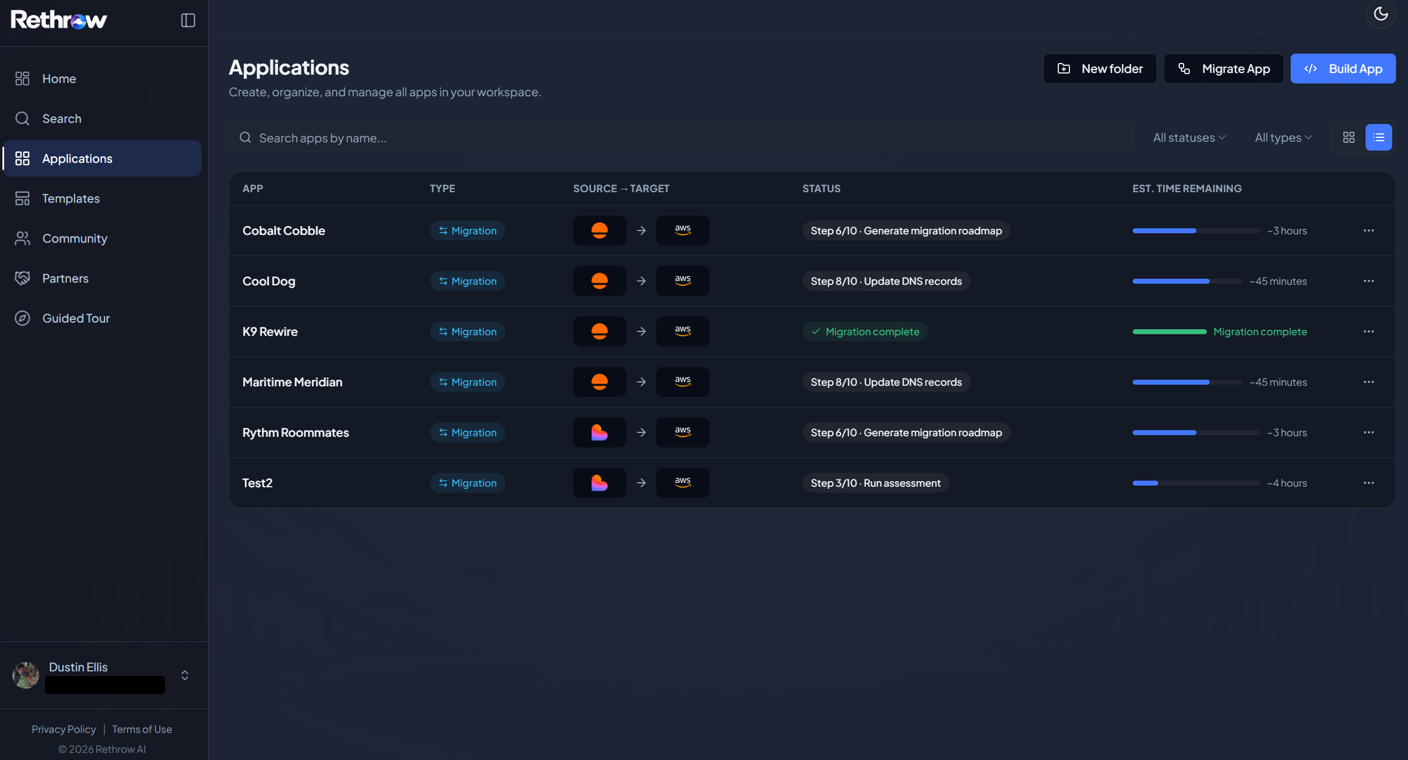
What is Rethrow? I introduced the platform previously, including our history and where we are headed, so I won’t repeat everything here. Our long-term vision is to create extensible, highly competent agents capable of becoming your multi-cloud architect. For now, we are building an experience specifically for non-technical teams that have outgrown vibe-coding platforms like Lovable or Replit and need more control of their tech stack. Rethrow offers a seamless path to migrate an existing app onto dedicated cloud infrastructure, plus a builder experience that lets them keep shipping features against a tech stack they own. We are designing Rethrow to be extensible from day one: multi-source, multi-target, multi-harness, and multi-modal. At launch, Rethrow will let you bring your own harness (BYOH), with support for Kiro, Claude Code, OpenAI Codex, Gemini CLI, Factory Droid, Grok Build, Cursor, and the open-source Goose. We believe future organizations won’t bias toward one specific harness or model provider, so we want maximum extensibility from day one. Later this month we will publish a deep dive on our multi-harness gateway and control plane. It all comes back to our mission:
Build fast. Own what comes next.
Builders should be able to move at the speed of vibe coding and still own their code, their cloud account, and their choice of agent along the way.
What I love about Workflows. We have used Kiro to build Rethrow from day one: the IDE for daily engineering, and the CLI in headless mode to drive our migration engine. Rethrow itself is a serverless system on AWS with over a hundred Lambda functions, a Studio subsystem on ECS Fargate, and GitHub Actions runners orchestrating migrations, so there is always a big, multi-stage task in front of me. The pain I feel most is handing one of those tasks to a single agent session and spending half my time keeping it on track as its context fills and it loses the plan. Our answer at Rethrow has been to break agent work into small, scoped units with durable handoffs and a verify step before anything moves on. Workflows makes that exact pattern a first-class part of the harness we build on every day, and that is what got me excited.
Where Workflows fit
If you’ve been around the Kiro ecosystem for the last year like I have, you’ve noticed that Kiro has quickly evolved into a family of surfaces that share one agent harness and one .kiro configuration: the IDE, the CLI, Kiro Web and Mobile, and the personal agent Kiro Crew. Because they share a harness, the steering, hooks, skills, and agents you set up in one place tend to travel with you, which is important when your team works across all of them. You don’t have to rebuild your setup every time you switch surfaces.
Workflows follows the same pattern. It launched on the same day in Kiro IDE 1.2, Kiro CLI 2.26.0, and Kiro Web cloud sessions, and a recipe is the same file in all three, so a workflow you save in one place works in the others. It’s opt-in everywhere, and each surface turns it on and controls it a little differently:
| Surface | Turn it on | Start a run | Controls |
|---|---|---|---|
| IDE | Workspace Configuration in Agent Focus, then Workflows (or set kiroAgent.workflows.enabled), then start a new chat | Ask Kiro in the parent chat | Pause, Resume, Stop |
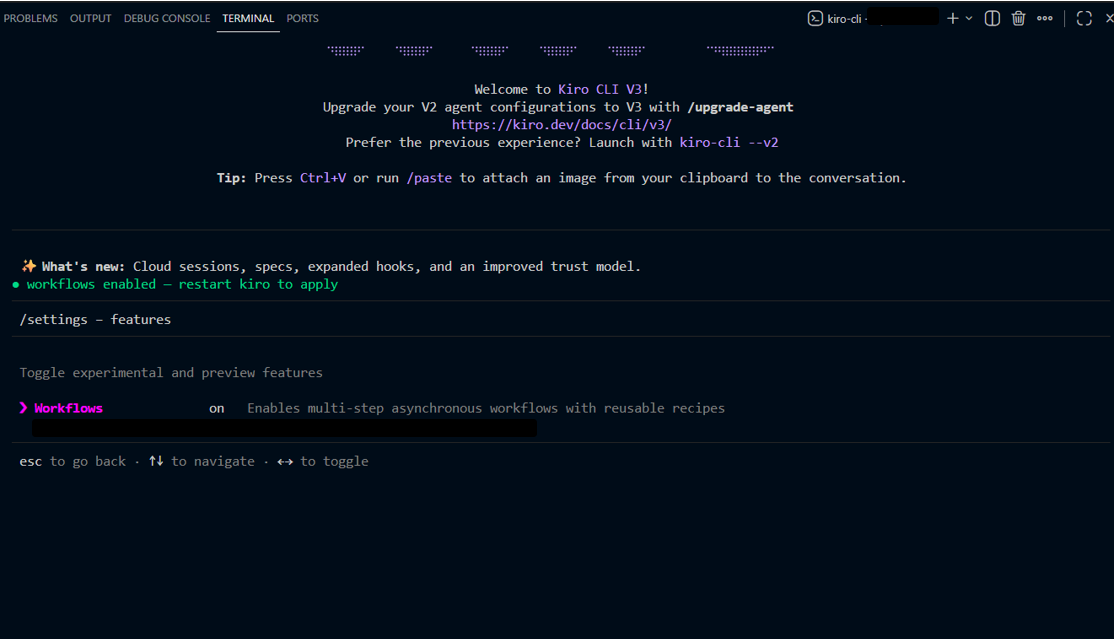
| CLI | In a V3 session, /settings, then Features, then Workflows, then restart the CLI | /workflow run <recipe> or ask in chat | Pause, Resume, Stop, Retry failed or aborted work |
| Web | Settings, then Workflows, then Enable workflows; upload a recipe or use Configuration Sync to import .kiro/workflows/ | Ask Kiro in a cloud session | Pause, Resume, Stop, Retry failed steps |
IDE
- Turn it on
- Workspace Configuration in Agent Focus, then Workflows (or set
kiroAgent.workflows.enabled), then start a new chat - Start a run
- Ask Kiro in the parent chat
- Controls
- Pause, Resume, Stop
CLI
- Turn it on
- In a V3 session,
/settings, then Features, then Workflows, then restart the CLI - Start a run
/workflow run <recipe>or ask in chat- Controls
- Pause, Resume, Stop, Retry failed or aborted work
Web
- Turn it on
- Settings, then Workflows, then Enable workflows; upload a recipe or use Configuration Sync to import
.kiro/workflows/ - Start a run
- Ask Kiro in a cloud session
- Controls
- Pause, Resume, Stop, Retry failed steps
How Workflows is turned on, started, and controlled on each surface.
A quick scope note: I tested Workflows only from the CLI. Everything in the test results below reflects the CLI experience, including the status line, the full-screen monitor, and /workflow commands. The IDE and Web give you the same recipes and runtime through their own panels, but I haven’t run them there yet. The docs don’t currently cover Mobile.
Comparison
Workflows doesn’t replace any of the other Kiro features. It sits alongside them and solves one specific problem: taking a single large task and structuring it into steps that each run with fresh context. Here’s how I think about it next to its neighbors.
| Capability | What it gives you | Where it runs | Reach for it when |
|---|---|---|---|
| Workflows | A graph of steps (sequence, parallel, repeat, watch), each in a fresh-context session, with model and effort per step, running in the background with pause, steer, and resume from checkpoints. Reusable as JSON or YAML recipes | IDE, CLI, Web cloud sessions | You have a big multi-stage task you want structured, repeatable, and run without babysitting one session |
| Sub-agents | The agent delegates a focused subtask to an isolated-context helper | IDE, CLI | The agent should fan out work itself, without you authoring the structure |
| Plan mode | The agent drafts a step-by-step plan for one task, then executes it with checkpoints between steps | CLI (v3) and IDE | You want to review the approach on a single task before it acts |
| Specs | Structured requirements, design, and task documents that drive a build | IDE and CLI | You want to formalize a feature before writing code |
| Cloud sessions | The agent harness runs in a managed cloud sandbox you can reach from any surface, and it keeps working while you are disconnected | Web, Mobile, IDE, CLI | A long task should run remotely and be reachable from any device |
| Hooks | Shell or agent actions triggered automatically by events like file save or prompt submit | IDE and CLI | You want automation to fire on an event, not on request |
| Kiro Crew | An open-source, persistent personal agent you run on your own hardware, with cross-session memory, scheduling, heartbeats, a Task Runner, and its own Python-scripted Crew Workflows | Self-hosted (local or remote), reachable from the desktop app, web dashboard, CLI, and channels like Slack, Discord, Teams, and Webex | You want a standing teammate that runs unattended, on a schedule, across sessions |
Workflows
- What it gives you
- A graph of steps (sequence, parallel, repeat, watch), each in a fresh-context session, with model and effort per step, running in the background with pause, steer, and resume from checkpoints. Reusable as JSON or YAML recipes
- Where it runs
- IDE, CLI, Web cloud sessions
- Reach for it when
- You have a big multi-stage task you want structured, repeatable, and run without babysitting one session
Sub-agents
- What it gives you
- The agent delegates a focused subtask to an isolated-context helper
- Where it runs
- IDE, CLI
- Reach for it when
- The agent should fan out work itself, without you authoring the structure
Plan mode
- What it gives you
- The agent drafts a step-by-step plan for one task, then executes it with checkpoints between steps
- Where it runs
- CLI (v3) and IDE
- Reach for it when
- You want to review the approach on a single task before it acts
Specs
- What it gives you
- Structured requirements, design, and task documents that drive a build
- Where it runs
- IDE and CLI
- Reach for it when
- You want to formalize a feature before writing code
Cloud sessions
- What it gives you
- The agent harness runs in a managed cloud sandbox you can reach from any surface, and it keeps working while you are disconnected
- Where it runs
- Web, Mobile, IDE, CLI
- Reach for it when
- A long task should run remotely and be reachable from any device
Hooks
- What it gives you
- Shell or agent actions triggered automatically by events like file save or prompt submit
- Where it runs
- IDE and CLI
- Reach for it when
- You want automation to fire on an event, not on request
Kiro Crew
- What it gives you
- An open-source, persistent personal agent you run on your own hardware, with cross-session memory, scheduling, heartbeats, a Task Runner, and its own Python-scripted Crew Workflows
- Where it runs
- Self-hosted (local or remote), reachable from the desktop app, web dashboard, CLI, and channels like Slack, Discord, Teams, and Webex
- Reach for it when
- You want a standing teammate that runs unattended, on a schedule, across sessions
Workflows next to the neighboring Kiro capabilities.
The three that look closest to Workflows are sub-agents, cloud sessions, and Kiro Crew.
Workflows versus sub-agents
Both run work in isolated context and both can go parallel. The difference is control and ownership. A sub-agent is delegation the primary agent decides on the fly. A workflow is an explicit structure, generated or authored as a recipe, where the runtime owns the steps, handoffs, loops, waits, and recovery. One detail surprised me in the docs: once Workflows is enabled, the main agent delegates through run_workflow instead of invoke_sub_agent, and a single custom agent can run as a one-step background workflow (run_workflow(agent://<name>)). So ordinary delegation becomes backgrounded and inspectable. Agents inside a workflow step can still use sub-agents when their configuration allows it, but those sub-agents are not nodes in the workflow and cannot signal, pause, or complete the step on its behalf.
Workflows versus cloud sessions
These answer different questions. Cloud sessions are about where the agent runs: a managed sandbox that keeps going after you close your laptop. Workflows are about how a task is shaped into steps. They now compose directly, because Workflows runs inside Kiro Web cloud sessions, with Workflows, Summary, Files, and Artifacts panels beside the parent conversation. A structured workflow running in a cloud sandbox is a supported setup today, not a future idea.
Workflows versus Kiro Crew
This is the comparison I expect the most questions about, starting with the name: Crew has its own feature called Workflows, and the Kiro docs say explicitly that the two are distinct. Crew Workflows are Python scripts that orchestrate Crew agents with a built-in conductor and a versioned library, while Kiro Workflows are JSON or YAML recipes that run in the shared Kiro harness across the IDE, CLI, and Web. The bigger difference is scope. Crew is an open-source, always-on agent you run on your own hardware, with memory across sessions, schedules, heartbeats, and channels like Slack and Discord, while Kiro Workflows shapes one big task, launched from a parent chat, into fresh-context steps. If Crew is the standing team that shows up every day and remembers everything, Workflows is how you shape the job in front of you into clean, reviewable, parallelizable steps.
Prerequisites
Here’s the CLI path, following the Kiro docs. If you’re using the IDE or Web, use the enablement steps in the table above instead.
- Install Kiro CLI and sign in. On macOS and Linux, use the install script below; Windows 11 is supported through PowerShell. See the installation guide for every platform.
- Start a session in your project. Run
kiro-clifrom the project directory to open the terminal UI. - Turn on Workflows. Open
/settings, choose Features, enable Workflows, then restart Kiro CLI. - Launch a run. Describe the outcome and ask Kiro to use a workflow, or run a saved recipe with
/workflow run <recipe>. If you leave out a declared input, Kiro opens a form to collect it. Use/workflow historyor/workflow listto find runs, and/workflow retry <workflowId>for failed work.
# install (macOS / Linux)curl -fsSL https://cli.kiro.dev/install | bash # start a session in your projectcd my-projectkiro-cli # inside the session/settings # Features > Workflows, restart/workflow run investigate
Getting started with Workflows in Kiro CLI, from the official docs.
- Validate recipes you write. Before launching a hand-authored recipe from
.kiro/workflows/, ask Kiro to runvalidate_workflowon it. - Work on a branch. Workflows don’t isolate Git branches or create worktrees, and stopping a run doesn’t undo file changes, so keep any output somewhere disposable.
A note on cost: a workflow coordinates several agents and repeats reviews, so it uses more tokens than a single session. The docs frame it as a trade, spending more on structure and independent judgment for work that benefits from it, and my runs matched that.
Test scenarios
Everything I tested sits inside one broad use case: safe infrastructure operations against Rethrow’s tech stack. That meant auditing, documenting, analyzing, and planning, never changing anything: no deployments, no Terraform applies, no resource modifications. I kept the agent to reads (source code, AWS configuration, and read-only APIs) and confined any file output to a scratch branch.
That framing is deliberate but narrow. Workflows can do far more than read-only operations, including multi-stage feature delivery, troubleshoot-until-green loops, and pull request pipelines that wait on review without spending model turns. For a first pass, safe operations were the right place to start. Here are the nine scenarios I ran:
| # | Scenario | Shape | What it exercises |
|---|---|---|---|
| 1 | API activity audit across services | Parallel + synthesis | Fan-out then fan-in, real CloudWatch reads |
| 2 | Migration engine module docs | Repeat loop | Uniform treatment across a list |
| 3 | New admin read endpoint design | Sequence | Carrying a decision across fresh-context steps |
| 4 | Studio architecture writeup | Mixed, run twice | Workflow versus one long session |
| 5 | Access pattern review + stubs | Sequence (YAML) | Per-step model and effort |
| 6 | Background audit | Long-running | Background execution |
| 7 | Billing flow analysis | Sequence | Steering a drifting step mid-run |
| 8 | Pre-deploy safety check | Sequence (recipe) | Reusable operational recipe |
| 9 | New hosting tier planning | Planning only | Does the generated shape match the need |
1. API activity audit across services
- Scenario
- API activity audit across services
- Shape
- Parallel + synthesis
- What it exercises
- Fan-out then fan-in, real CloudWatch reads
2. Migration engine module docs
- Scenario
- Migration engine module docs
- Shape
- Repeat loop
- What it exercises
- Uniform treatment across a list
3. New admin read endpoint design
- Scenario
- New admin read endpoint design
- Shape
- Sequence
- What it exercises
- Carrying a decision across fresh-context steps
4. Studio architecture writeup
- Scenario
- Studio architecture writeup
- Shape
- Mixed, run twice
- What it exercises
- Workflow versus one long session
5. Access pattern review + stubs
- Scenario
- Access pattern review + stubs
- Shape
- Sequence (YAML)
- What it exercises
- Per-step model and effort
6. Background audit
- Scenario
- Background audit
- Shape
- Long-running
- What it exercises
- Background execution
7. Billing flow analysis
- Scenario
- Billing flow analysis
- Shape
- Sequence
- What it exercises
- Steering a drifting step mid-run
8. Pre-deploy safety check
- Scenario
- Pre-deploy safety check
- Shape
- Sequence (recipe)
- What it exercises
- Reusable operational recipe
9. New hosting tier planning
- Scenario
- New hosting tier planning
- Shape
- Planning only
- What it exercises
- Does the generated shape match the need
Nine safe, read-only scenarios, each run end to end against Rethrow’s tech stack.
Test results
1. API activity audit across services (parallel fan-out + synthesis)
I asked Kiro to audit 30 days of API activity across five of our AWS services (API Gateway, Lambda, DynamoDB, Cognito, and CloudFront) and roll it all up into one report. It built exactly the shape I would have drawn on a whiteboard: five parallel branches, one per service, feeding a final synthesis step. It even chose an “all settled” join on its own, so one slow branch couldn’t throw away everyone else’s work. The branches finished in under two minutes, and the synthesis connected the dots instead of stapling five reports together, linking a write spike in one service to a traffic surge across others and flagging a cold-start latency pattern. I spot-checked the numbers against CloudWatch, and they matched.
Takeaway: Big research jobs no longer have to happen one service at a time. Workflows splits the work across agents, runs it side by side, and brings it back as one answer you can act on.
2. Migration engine module docs (repeat loop)
Next, I asked for a uniform summary of every module in our migration engine. Instead of hardcoding dozens of steps, Kiro used a repeat loop: it counted the files first, tracked progress in a manifest, and worked through the list one module at a time until the manifest said it was done, with a hard cap on iterations as a safety net. Every module was documented exactly once, in the same format, and the last summary was as sharp as the first. A spot-check against the source code confirmed they were accurate.
Takeaway: Repetitive work stays consistent from item one to item fifty. A loop with a clear finish line means no skipped files, no duplicates, and no quality drop-off as the agent gets deep into the list.
3. New admin read endpoint design (sequence)
This is the test I cared about most. I asked for a new read-only admin endpoint in three steps: decide the conventions, scaffold the handler, then write the tests. The catch is that each step starts with a clean slate and can’t see the previous step’s reasoning. Step one wrote its decisions (response format, error codes, query approach, even the test framework) to a file, and the later steps read that file. The tests in step three matched exactly what step one decided, with zero drift.
Takeaway: Decisions survive the handoff. Because each step passes its work forward as a written artifact instead of relying on fading memory, a long multi-step task stays true to the plan from start to finish. This is the core promise of Workflows, and it held.
4. Studio architecture writeup, head-to-head (mixed)
To keep myself honest, I wrote the same Studio architecture overview twice: once in a single long agent session and once as a workflow. Both were accurate and neither needed much hand-holding, because the task simply wasn’t big enough to overwhelm one session. The workflow’s edge was organization: separating “gather the facts” from “write the story” produced a more complete, better-structured document.
Takeaway: Workflows isn’t for everything. For quick, well-scoped asks, a regular chat is fine. Reach for a workflow when the job is genuinely big or has distinct stages, which matches the guidance in the Kiro docs.
5. Access pattern review + boilerplate (per-step model and effort)
Here I hand-wrote a YAML recipe that gave one step a top-tier model with high reasoning effort for the hard design thinking, and gave the follow-up steps a small, fast model to turn that design into boilerplate stubs. The routing worked: the expensive step produced deep analysis with file and line citations, and the cheap steps transcribed it cleanly. One nuance: reasoning effort only applies to models that support it, so the “low effort” setting quietly did nothing on the small model. Also, a mistyped model ID passes validation with just a warning and then fails mid-run, so double-check those before a long job.
Takeaway: You can spend your budget where it matters. Put the best model on the hard thinking and a cheaper one on the routine work, all in the same workflow, instead of paying top-tier prices for every step.
6. Background execution (long-running)
I reran the Scenario 1 audit in the background and went back to my normal work in the main chat. The main session stayed fully responsive: I edited files and asked unrelated questions while the agents worked, and none of their tool output cluttered my conversation. A step count in the status line tracked progress (it expands into a full-screen monitor), and when the run finished, Kiro summarized the results right back in my chat. My one wish is a louder signal, like a sound or a notification, when a step finishes or needs me.
Takeaway: You don’t have to babysit the agent. Long jobs run on their own while you keep working, and your main conversation stays clean and focused.
7. Billing flow analysis, steered mid-run
Our billing touches a lot: one-time payments for migrations, Studio subscriptions, and Stripe across checkout, invoices, the customer portal, and webhooks. I deliberately gave a step the vague prompt “analyze our billing” so it would wander. Once it started sprawling, I messaged that step directly and told it to focus on Studio subscription tiers and credits. It picked up my note on its next turn and changed course without restarting anything. Afterward, I reopened the finished step and asked follow-up questions with all of its context intact. Good to know: Pause waits for the current turn to finish and stops between steps, so messaging the step is the better tool for a mid-flight correction.
Takeaway: You stay in the driver’s seat. If an agent heads in the wrong direction, you can nudge it mid-run instead of scrapping the work and starting over.
8. Pre-deploy safety check as a reusable recipe (authored YAML and JSON)
One of our hard rules: before any Terraform apply that touches Lambda, confirm the plan doesn’t change a function’s code attributes (source_code_hash or filename), because that can overwrite deployed code with a placeholder. I turned that rule into a read-only recipe in .kiro/workflows/ that reads a plan, flags any of those changes, and summarizes the blast radius. I wrote it in both YAML and JSON, validated each with validate_workflow, and launched it with /workflow run. Repeated runs gave consistent verdicts, and a plan I seeded with a risky change got flagged every time. JSON was easier to generate and diff, while YAML was easier to read and edit. One gotcha: if two recipe files share a name, the JSON one wins, so pick one format per recipe.
Takeaway: Hard-won lessons become a one-command safety net. Instead of relying on someone remembering a checklist, the team runs the same check the same way every time. This is the first recipe I’m putting into our day-to-day operations.
9. New hosting tier planning (generation fidelity)
Finally, I gave Kiro a big, fuzzy goal, “prepare Rethrow’s backend for a new managed hosting tier,” and asked it to plan the workflow without running it. It proposed a sensible plan: parallel read-only investigations into billing, provisioning, access control, and hosting infrastructure, merged by a synthesis step, followed by a design step and an independent design review. It picked fitting built-in agents for each step, didn’t over-engineer anything, and stopped before launching, as asked. My only edit was merging two investigation branches that would have read the same files.
Takeaway: Workflows makes a good planning partner. Hand it an ambiguous goal, review the plan it proposes, adjust it, and only then let the agents loose.
Feedback for Kiro team
- Make in-flight progress more visible in the CLI. A more prominent, live view of the active step, completed branches, and remaining loop iterations would beat the compact status-line count. The full-screen monitor is good once you open it.
- Actively get my attention when the run needs me. Background execution means I look away, so I would love a louder signal (a bell, a desktop notification) on completion and especially on a step that is paused waiting for input.
- The graduated tool-approval prompt is great. Being able to approve all future calls for a given tool and operation, not just a one-time yes, is a nice balance of trust and flow.
- Let headless runs launch recipes. More on this below.
What’s next for Rethrow
Our migration engine already runs Kiro CLI in headless mode: our application sends a dispatch event, a GitHub Actions runner picks it up, and headless kiro-cli drives each phase of the migration, with scripts holding the phases together. Recipes are the piece I’m most excited about. Launching a workflow recipe from a headless run isn’t documented today (and /workflow run is a slash command, which headless mode doesn’t support), but if the Kiro team opens that up, we could keep one migration recipe per target cloud, such as AWS, GCP, Azure, OCI, and Alibaba Cloud, and launch the right one from the inputs in each dispatch event.
That would give our engine structure the runtime owns (explicit steps, artifact handoffs, capped verify loops, and checkpointed recovery), the right model for each step, independent reviewers that didn’t write the plan, and watch steps that wait on a deployment or a customer approval without burning model turns. My tests here were intentionally simple, but I have plenty of ideas for building Workflows into our migration engine before launch, and eventually into Studio. Great work, Kiro team.
Wrapping up
Workflows targets a real pain, the slow context decay of one long session, and every shape I tested did what it promised: parallel fan-out with synthesis, repeat loops, the sequence with a decision handoff, per-step models, background runs, mid-run steering, a reusable safety recipe, and generated plans, while the head-to-head honestly showed where a workflow isn’t needed. I only scratched the surface with safe, read-only operations against Rethrow’s tech stack, and it still changed how much I could get done in one sitting without babysitting the agent. If you’ve ever watched a long agent session slowly lose the plot, turn Workflows on in the IDE, CLI, or Web, start with a read-only task or the bundled investigate recipe, then push it harder than I did and tell the Kiro team what you find.
Keep building!
Follow along
Try Kiro Workflows
Workflows is opt-in in the Kiro IDE, CLI, and Web. The docs cover enabling it on each surface, authoring recipes, and running and managing workflows.
Read the Kiro Workflows docsSign up for the Rethrow waitlist
We’re onboarding early users ahead of general availability in early 2027. Resellers, startup communities, and agencies can contact us about early access.
Join me at XtremeAI 2026: From Vibe Coding to Cloud-Native
Vibe coding has dramatically lowered the barrier to building software, but the harder problem begins when those applications need to move beyond the prototype and meet real production requirements around infrastructure, security, scalability, reliability, and operational control. Using Rethrow as a practical case study, this session explores how AI agents can assess applications, plan and execute migrations, provision target environments, modify code, validate changes, and iterate through build-and-verify loops with limited human intervention. We’ll compare headless, non-interactive agent workflows for repetitive migration tasks with interactive sessions using the Agent Client Protocol (ACP) for browser-based development. The session also covers why Rethrow created a multi-harness architecture, and best practices for agentic systems operating within multi-tenant environments, including scoped credentials, retry budgets, failure escalation, steering guidance, contract-driven callbacks, and property-based verification.
Find me at AWS re:Invent 2026
I’ll be back at re:Invent. If you’re building in cloud, AI, or agentic development, I’d love to connect.
Learn more about AWS re:Invent 2026